If you record meetings with Pocket, you already end up with a proper archive of each call once it finishes processing: a transcript, action items, and a written summary. Pilcrow’s Pocket integration takes that summary and drops it straight into a laundry pile as a note, with a link back to the original recording, the moment it’s ready, so there’s nothing to go and fetch by hand afterwards.
What you’ll need
Laundry pile webhooks are a Pro feature. New accounts get a 30-day trial of Pilcrow’s Pro tier after signing up, which is plenty of time to try this before deciding whether it’s worth keeping.
Step 1: create the webhook on a pile
Right-click (or long-press, on mobile) the pile you’d like Pocket’s summaries to land in, and choose Webhook… from the menu. If that pile doesn’t have a webhook yet, you’ll see a single Generate webhook URL button; click it to create one.
Once the webhook exists, a dropdown appears at the top of the dialog with three options: Standard, Pocket, and Jira. Switch it to Pocket.
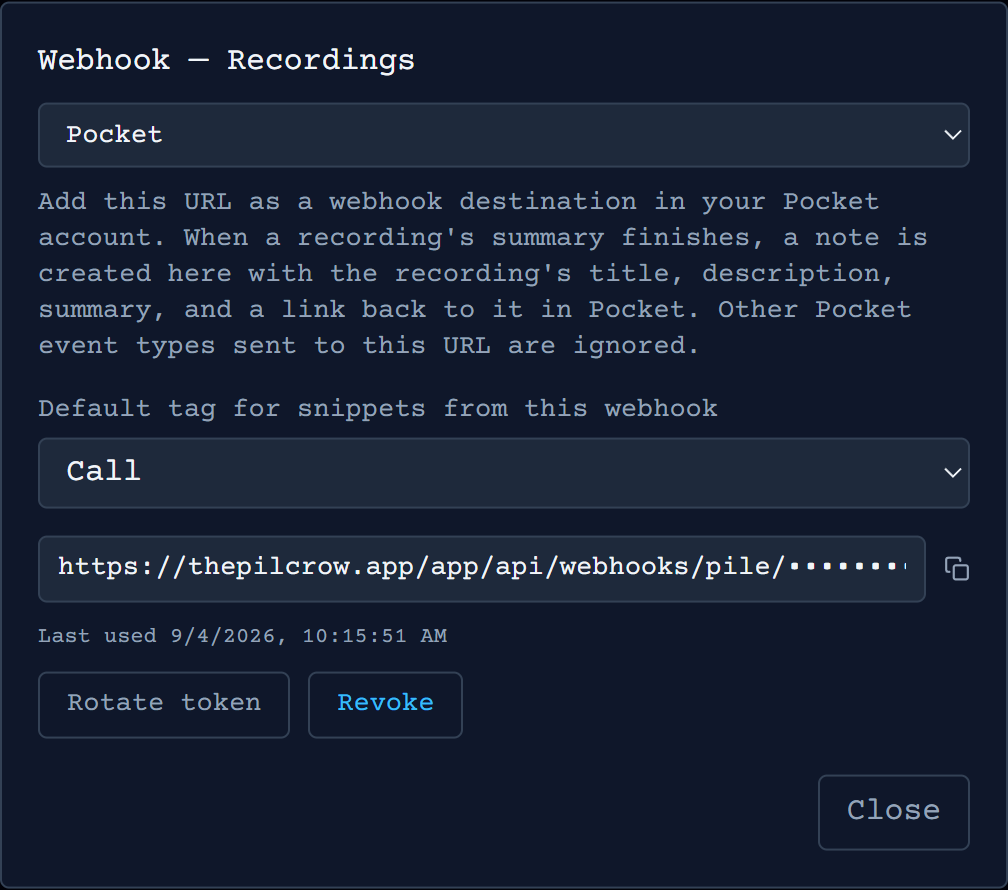
A pile can only have one webhook type active at a time: switching the type changes how everything posted to the same URL is interpreted, rather than adding a second destination alongside it. If a pile already has a Standard or Jira webhook pointed at something else, switching it to Pocket hands that same URL over to Pocket’s events instead.
You can also choose a default tag here, applied automatically to every note the webhook creates, and the URL itself sits near the bottom of the dialog, ready to copy.
Step 2: add the URL in Pocket
In Pocket, open your integrations settings and add a new webhook, pasting in the URL you copied from Pilcrow as the destination.
What happens next
Pilcrow listens for four kinds of event from Pocket against that URL: summary.completed, transcript.edited, summary.updated, and summary.regenerated. Anything else Pocket sends there is acknowledged and otherwise ignored. Whichever of those four arrives first for a given recording creates a new note in the pile, made up of a link back to the recording in Pocket, its description, and the written summary.
If Pocket redelivers the same event, or later fires a different one of those four for a recording that already has a note (summary.regenerated after you’d already edited the transcript, say), Pilcrow finds the existing note for that recording and revises it in place rather than creating a duplicate.
Rotate the token from the same dialog at any point if you’d like a fresh URL, or revoke the webhook outright to stop Pocket’s summaries landing in that pile.